Lean Six Sigma project collaboration and management. Get Projects done. Know where you stand.
SixGrid is a Lean Six Sigma specific program management and project teams collaboration tool. Built from the ground up for DMAIC, Lean, Kaizen, PDCA, and A3. Project charters, tollgate milestones, financial impact tracking, and real visibility across your program. No generic PM overhead. No legacy software feel.
Free during Beta. Full Teams plan access.
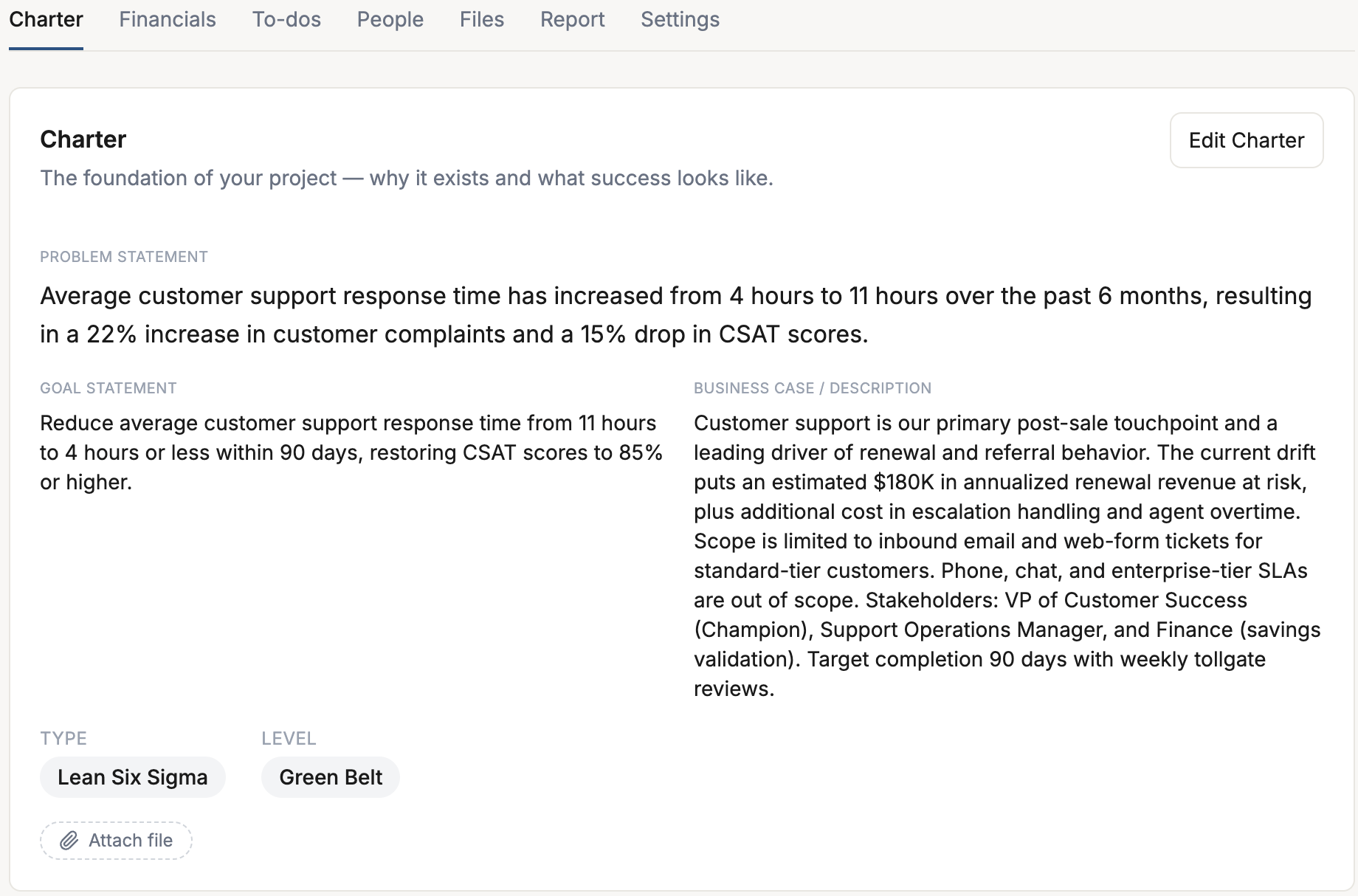
A Lean Six Sigma project charter that actually lives with the project.
Every Lean Six Sigma project starts with a charter — and in every other tool you've used, it's a Word document that nobody opens after week one.
SixGrid makes the charter part of the project. Problem statement, goal statement, business case, project type, and belt level live on the Charter tab, visible to everyone on the team. Edit in place. Attach evidence. Keep it as a living document the way it was meant to be.
Your charter is where your project begins. It shouldn't end up in a shared drive somebody can't find.
- ✓Structured problem statement, scope & goal fields
- ✓Attach team, sponsor, and champion in one place
- ✓Direct hand-offs into milestones, to-dos, and financials
- ✓One source of truth for tollgate reviews
DMAIC, Lean, Kaizen, PDCA, or A3 — built in and ready to run.
Pick a methodology and SixGrid lays out the milestones, tollgates, and to-dos for you. Use it as-is, tweak it to match how your program runs, or skip it entirely and build your own from scratch. Templates are a starting point — not a straitjacket. No blank page if you don't want one. No rigid structure forcing you to run projects somebody else's way.
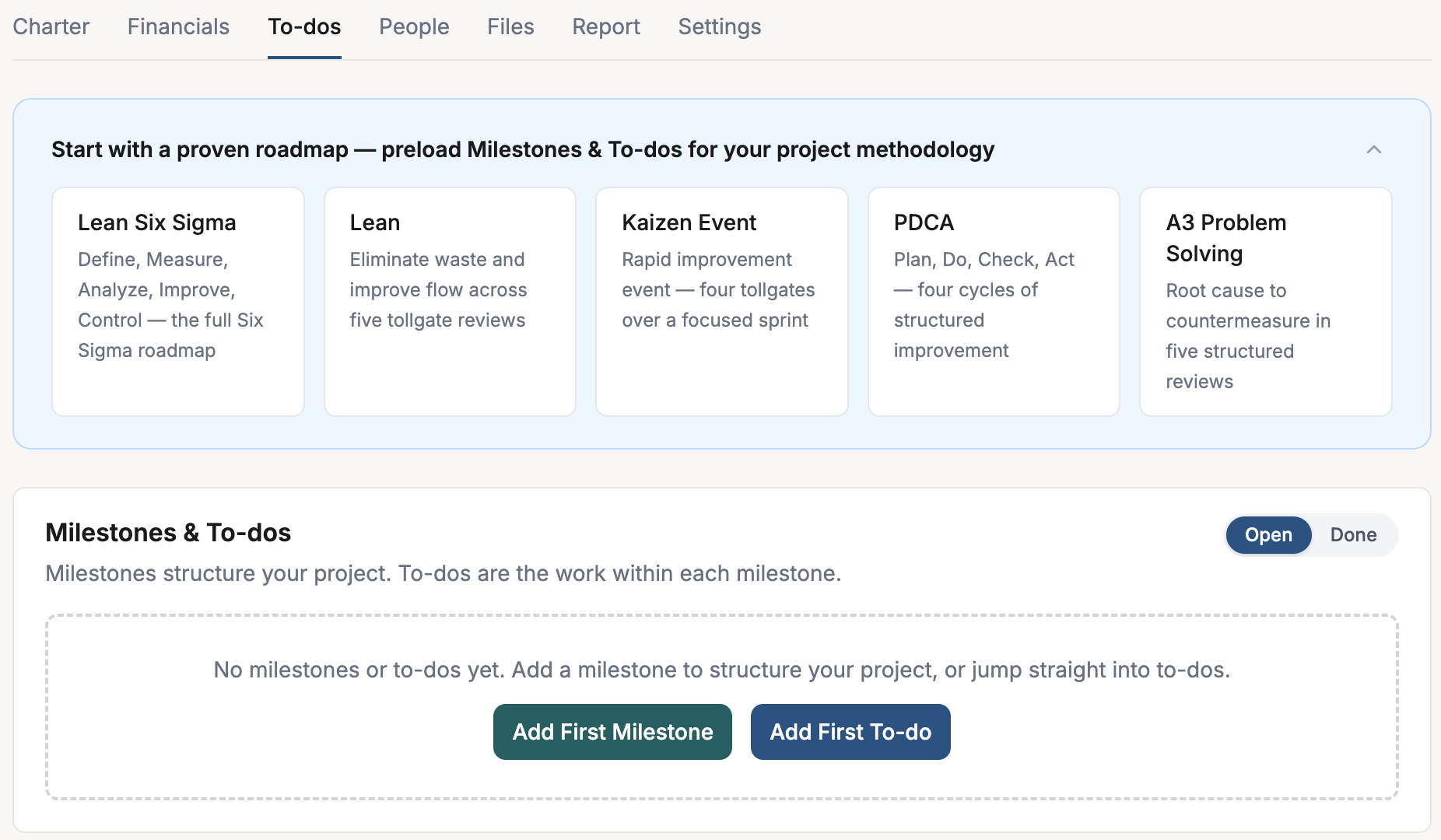
Lean Six Sigma (DMAIC)
14 milestones · 77 to-dos
Define, Measure, Analyze, Improve, Control — the full Six Sigma roadmap.
Lean
5 milestones · 17 to-dos
Eliminate waste and improve flow across five tollgate reviews.
Kaizen Event
4 milestones · 13 to-dos
Rapid improvement event — four tollgates over a focused sprint.
PDCA
4 milestones · 13 to-dos
Plan, Do, Check, Act — four cycles of structured improvement.
A3 Problem Solving
5 milestones · 15 to-dos
Root cause to countermeasure in five structured reviews.
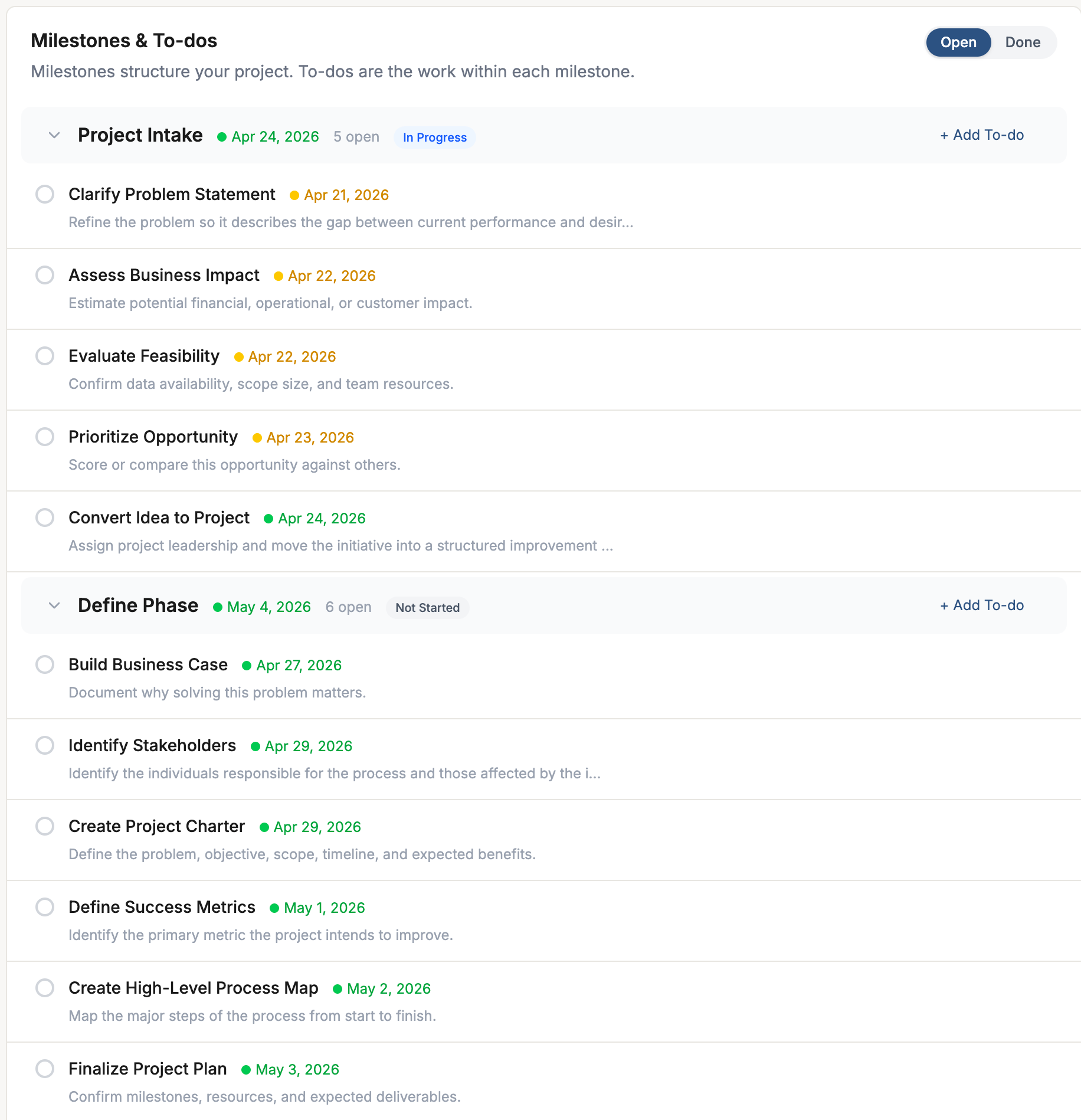
Milestones, tollgates, and to-dos — all in one view.
In Lean Six Sigma, milestones aren't arbitrary checkpoints — they're phase gates. Define review. Measure review. Analyze review. Each one is a tollgate, and the to-dos underneath are the work you do to earn the gate.
SixGrid puts milestones and their to-dos in a single grouped view. Expand a phase, see what's open and what's done, assign work to team members, check off the tollgate criteria, and move to the next phase. Completed phases collapse automatically so you stay focused on the work in front of you.
The way your project should work, the way the method actually works.
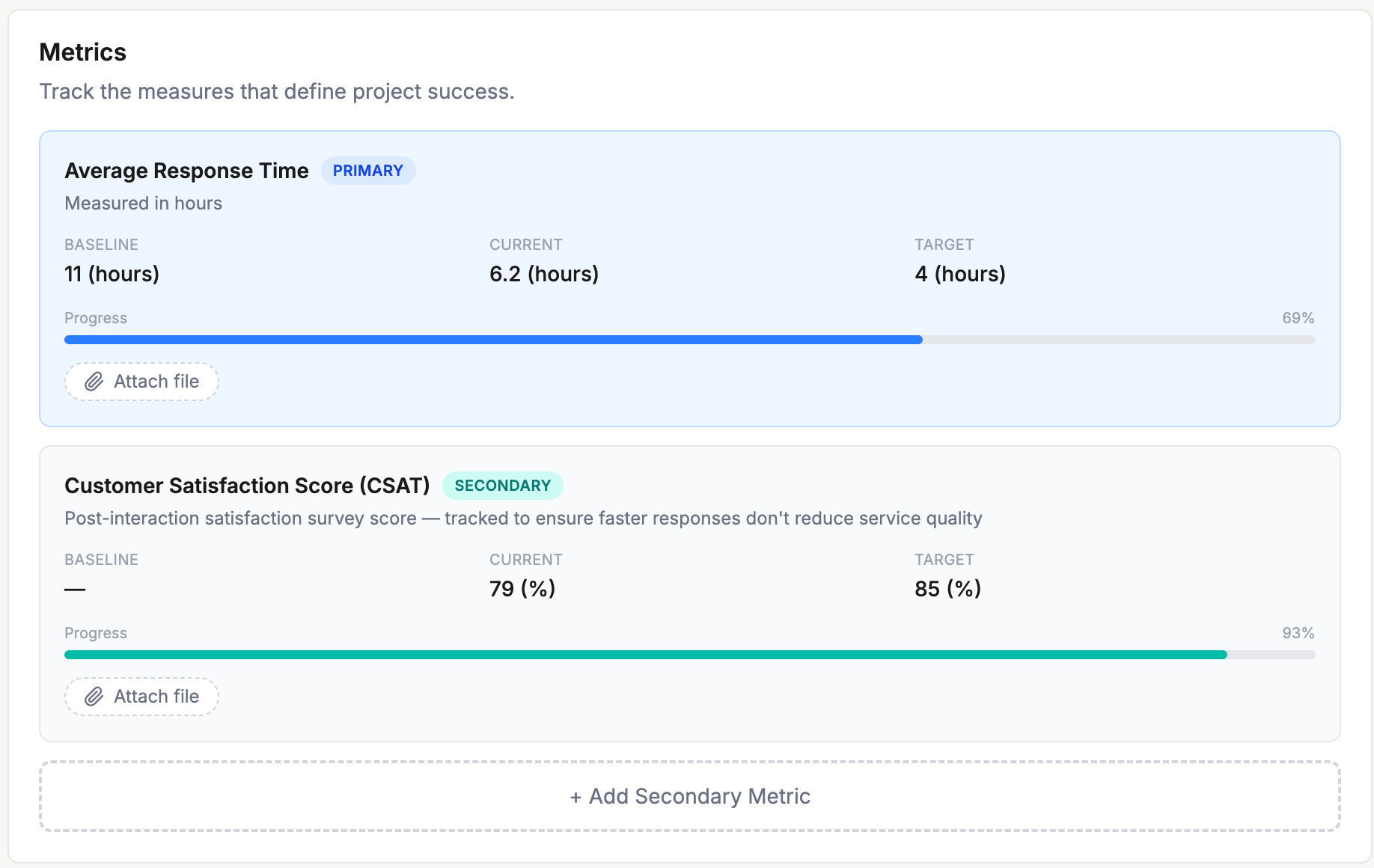
Primary and secondary metrics — the way Six Sigma practitioners track them.
Every Six Sigma project has a primary metric — the Y you're trying to move. And every good practitioner knows you need secondary metrics to catch the unintended consequences.
SixGrid makes both first-class. Set your primary metric with a baseline, current value, and target — the progress bar handles “higher is better” and “lower is better” automatically. Add secondary metrics for CTQs, KPIs, inputs (X), or outputs (Y). Everyone on the team sees the numbers update as the project progresses.
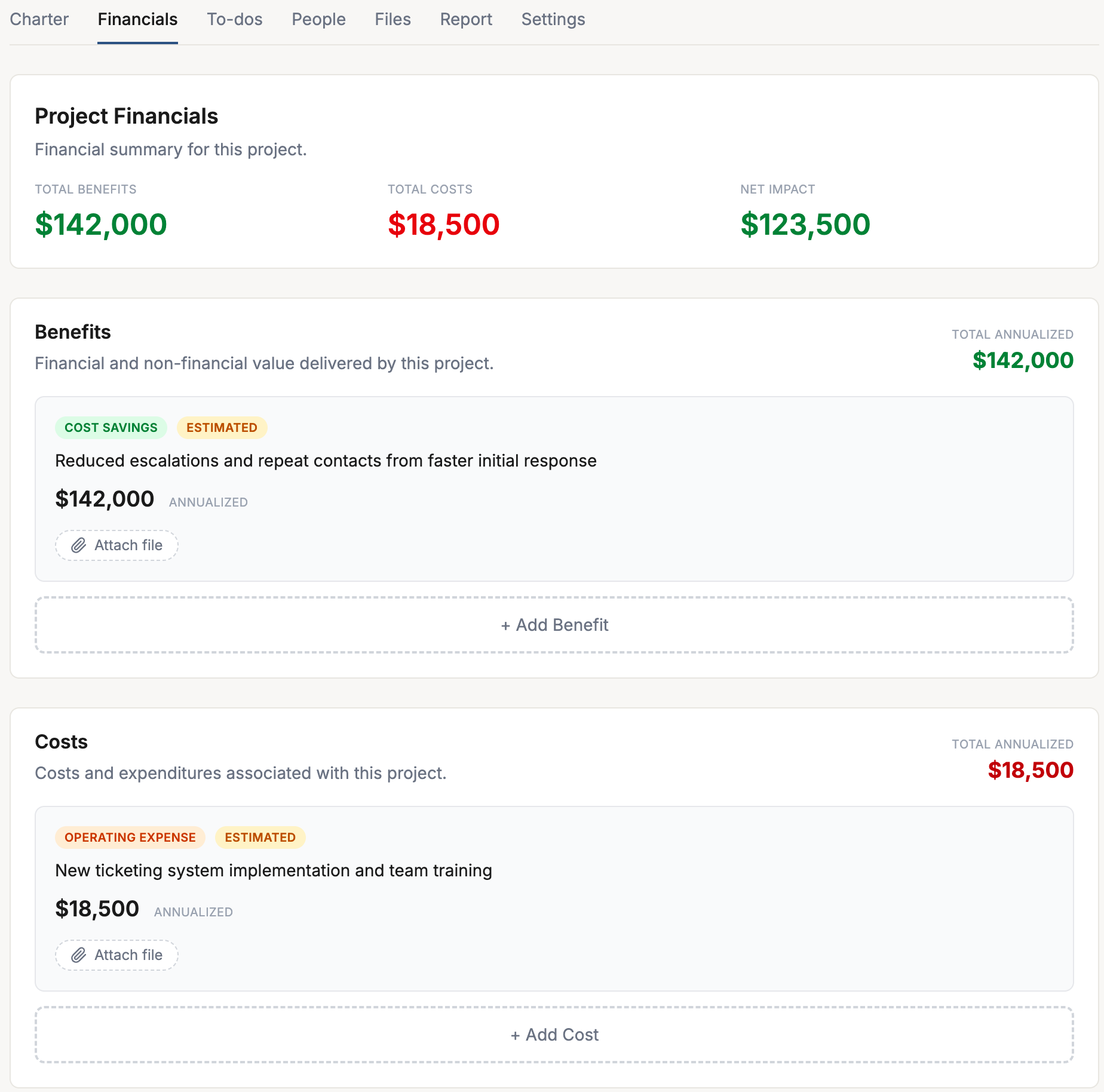
Benefits, costs, and net impact — the way CI programs report.
Generic PM tools give you a “budget” field. Lean Six Sigma programs need more than that — hard savings, soft savings, cost avoidance, revenue increase, safety impact, compliance impact. Operating expenses vs. capital expenditures. Estimated vs. actual.
SixGrid's financial tracking matches how your finance team wants to see it. Every benefit and cost is classified, statused, and annualized. The net impact rolls up on the project — and across your entire portfolio on the Reports page. When your Champion asks about validated savings, the answer is already there.
Bridge the gap between Lean Six Sigma training and actually doing a project.
Projects are where Lean Six Sigma creates real value. The training teaches you the method. The certification proves you know it. But the return on every LSS investment — for the practitioner and for the company paying for the training — comes from applying it. Cost savings. Revenue gains. Cycle-time reductions. Safer operations. That's what a finished project delivers.
Which is why training providers and companies alike push practitioners to run a real project during or after their training. And that jump — from the classroom to the shop floor — is where most practitioners get stuck. Where does the charter go? How do I track the tollgates? What does “good” look like? What am I supposed to attach to the Define phase?
SixGrid closes that gap.
A sample DMAIC project to learn from.
Every new account comes with “Reduce Customer Support Response Time” — a fully populated project mid-way through the Analyze phase. Real charter. Real metrics. Real to-do notes showing what the work actually looks like. Click into it on day one and see what a project in motion looks like.
Templates that remove the blank-page problem.
Pick a methodology, and SixGrid builds the structure. You focus on the work — not on figuring out what comes next. It's the fastest way to turn classroom training into a finished certification project.
The structure you'd build yourself, ready to go.
Charter, metrics, financials, tollgates, evidence. All the tools you were taught to use, in one place, connected to each other. This is what “applied Lean Six Sigma” actually looks like.
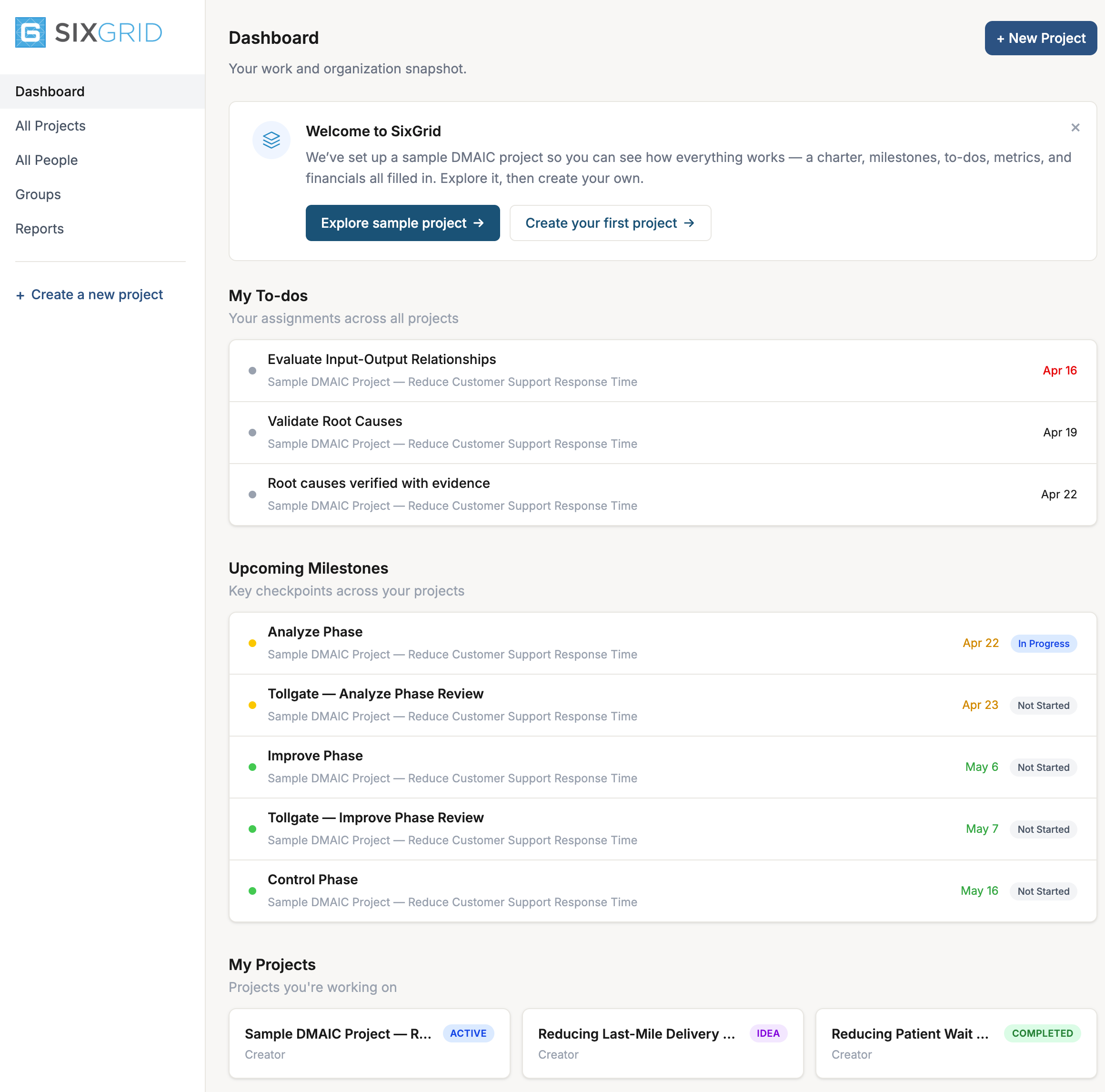
However you run your program — SixGrid fits.
Groups are how SixGrid organizes projects and people. Every project belongs to a group. Every person belongs to a group. Managers see only their groups. The system handles the isolation so you don't have to.
Which means one product works for two very different ways of running Lean Six Sigma.
For training providers and universities
Lean Six Sigma certification, one cohort at a time.
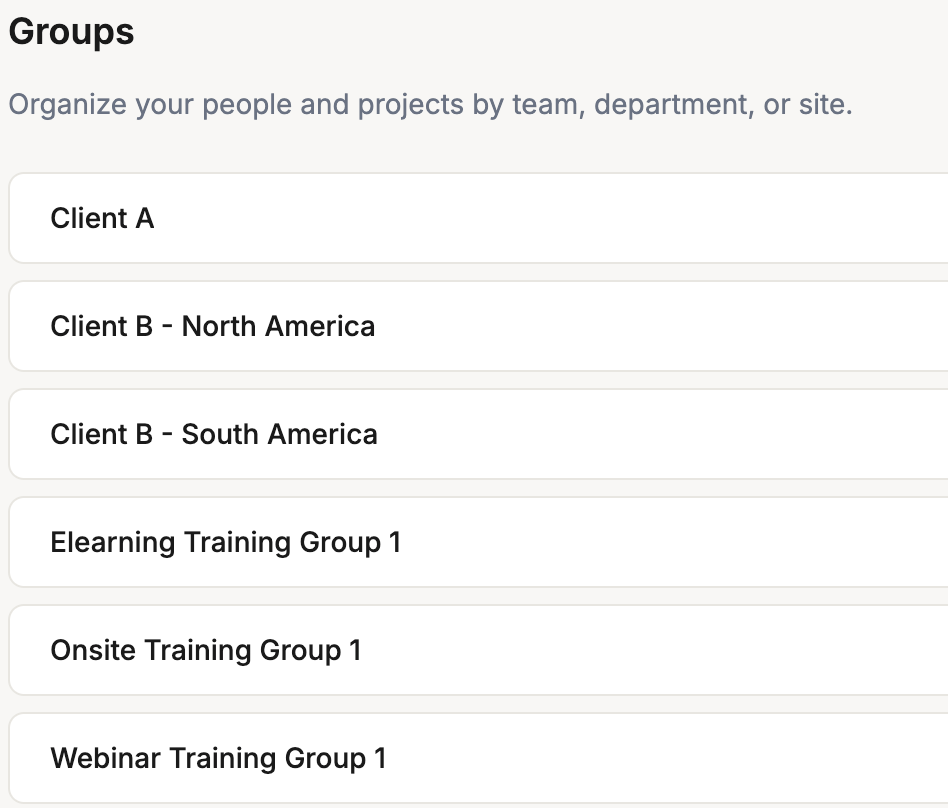
Run every cohort as a group. Each cohort gets its own manager — usually the instructor — who sees their students, their student projects, and nothing from other cohorts. Students work on their real certification projects inside SixGrid, using the DMAIC template they just learned. You see everything across all cohorts. They see only what they should.
This is how certification project work is actually supposed to happen — practitioners building real experience on real projects, with instructors coaching along the way. Not a PowerPoint submission two weeks before graduation.
For company program managers
One product. Every business unit. Full visibility.
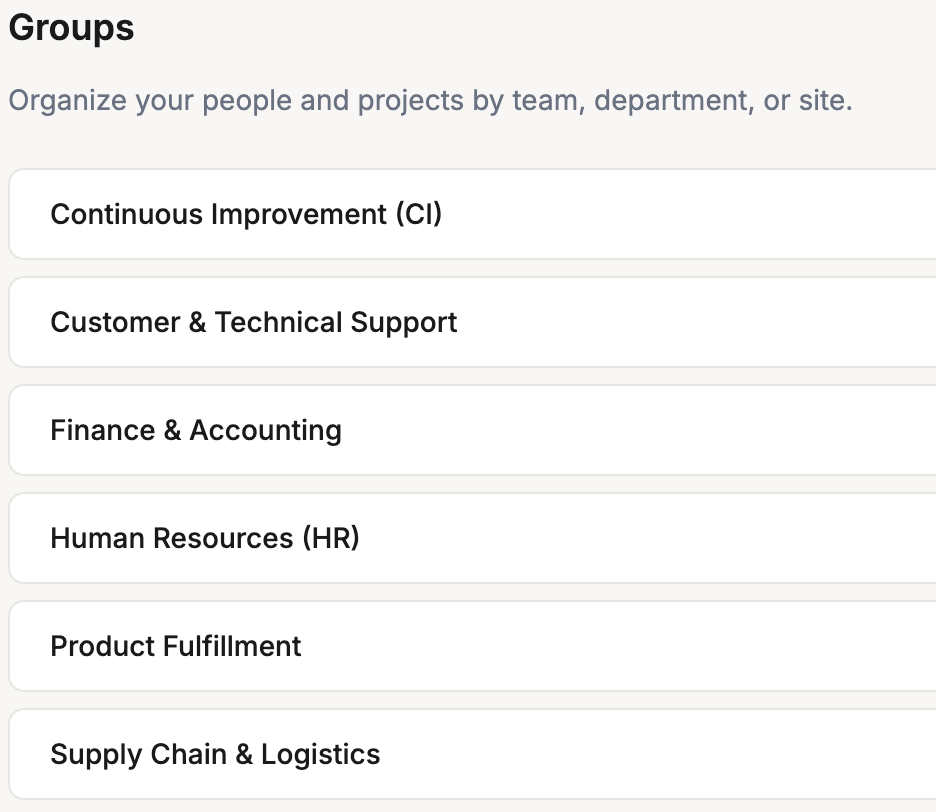
Run every business unit, plant, or site as a group. Department leads get the Manager role and see only their area — their projects, their people, their group settings. You see the whole deployment — portfolio financials, project status across all units, who's doing what.
Invite practitioners into the right groups. Add Executives for read-only visibility to the board. Handle your whole Lean Six Sigma deployment in one place, with proper permissions built in from day one.
Real project management, shaped to Lean Six Sigma.
SixGrid ships with every tool a working CI program needs. No add-ons. No upgrade tier. No “contact sales” for the part that matters.
Five system roles.
Owner, Admin, Manager, User, Executive. Properly scoped to groups. Read-only for stakeholders.
Seven project roles.
Project Leader, Associate Leader, Champion, Mentor, Financial Rep, Team Member, Creator. Matches how LSS teams are actually structured.
Dashboard.
My to-dos, upcoming milestones, my projects, organization overview. The first thing you see, the things you need to act on.
Organization-wide reports.
Status, type, belt level, group. Drill into any slice. No exports to Excel to see your program.
ViewFinal Report PDF.
One-click professional PDF with your charter, metrics, financials, milestones, and narrative. Tollgate-ready.
ViewFiles in one place.
Every attachment — to charters, to-dos, milestones, benefits, notes — aggregated on the Files tab. Never hunt for evidence again.
Activity log.
Full audit trail of everything that happened on the project. Who did what, when. Read-only and always there.
Email notifications.
When someone’s added to a project, assigned a to-do, or a milestone is due. Automatic. No configuration.
Custom organization logo.
Your brand in the sidebar for your team. Perfect for consulting firms and training providers.
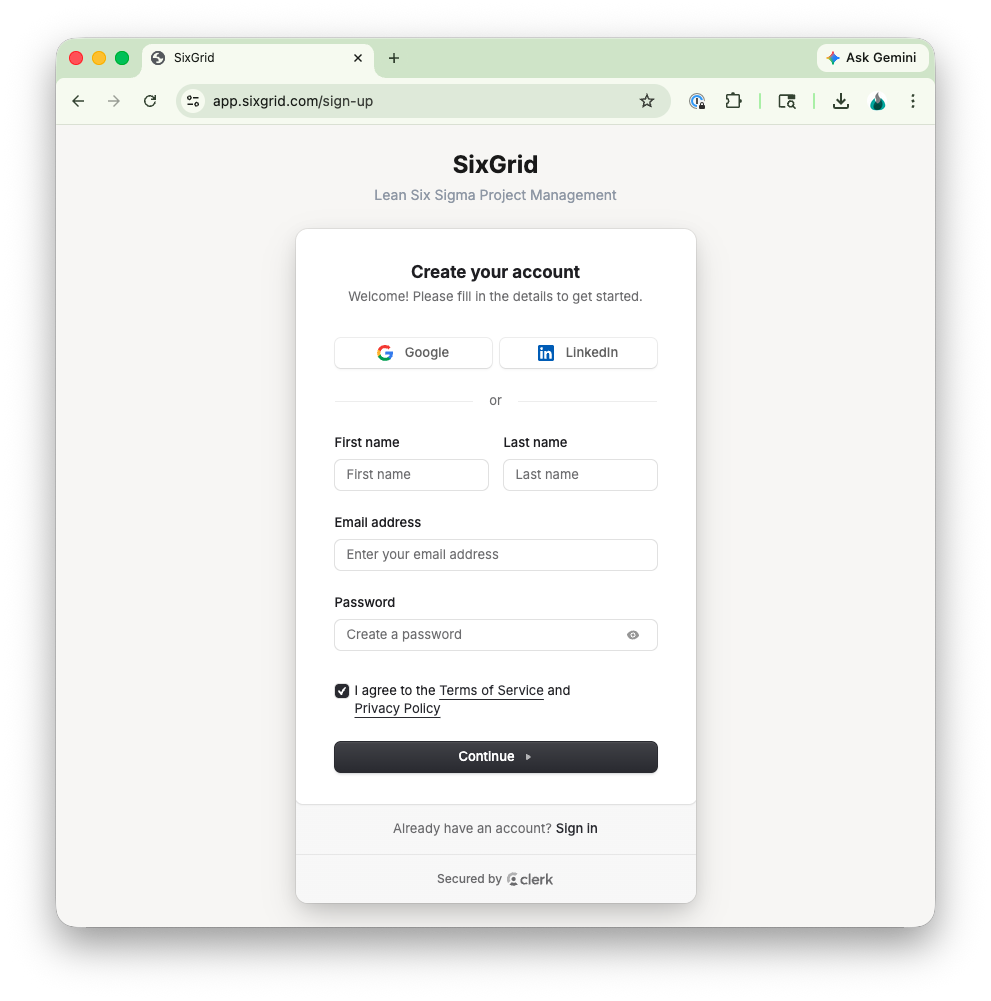
Sign up in under a minute. Start a real project in under five.
Sign in with Google, LinkedIn, or email. Your sample project is already loaded — a real DMAIC project mid-way through Analyze, ready to explore. Your dashboard is already populated. You don't have to configure anything to see what the product actually does.
When you're ready, create your first real project. Pick a template. Start writing your charter. Add your team. The whole thing runs in your browser. No install. No IT ticket.
This is what Lean Six Sigma project management software should feel like.
The details that actually matter.
Is SixGrid actually built for Lean Six Sigma, or is it a generic project manager?
SixGrid was designed from the ground up for Lean Six Sigma. Project charters, DMAIC phases, tollgate milestones, primary and secondary metrics, hard savings vs. soft savings vs. cost avoidance, belt levels, project types — all built in, all first-class. No skinning a generic PM tool.
What Lean Six Sigma methodologies does SixGrid support?
DMAIC, Lean, Kaizen Event, PDCA, and A3 Problem Solving. Plus "Just Do It" for smaller improvement work. Each has a built-in template with milestones, tollgates, and to-dos.
Can I use SixGrid for my Green Belt or Black Belt certification project?
Yes. The DMAIC template gives you the full Define–Measure–Analyze–Improve–Control structure with tollgate reviews. The Final Report PDF produces a professional deliverable you can submit for certification. The Free plan supports one project — enough to finish a certification project.
Does SixGrid work for training providers running multiple cohorts?
Yes. Groups let you isolate each cohort — students see their own work, instructors (Managers) see their cohort, you see everything. It’s the cleanest way to run Lean Six Sigma certification programs online.
Does SixGrid work for internal Lean Six Sigma deployments?
Yes. Use groups for business units, plants, or sites. Assign Managers to each group for scoped leadership. Give Executives read-only access for visibility. Everything rolls up in the organization-wide reports.
Can I track financial impact — hard savings, soft savings, cost avoidance?
Yes. Every benefit is classified by type (Cost Savings, Cost Avoidance, Revenue Increase, Safety, Compliance, Environmental, Other) and status (Estimated or Actual). Costs are classified by type (Operating Expense, COGS, Capital Expenditure, Other). Net impact rolls up per-project and across the portfolio.
Can I attach evidence to specific phases and to-dos?
Yes. Files attach to charters, to-dos, milestones, benefits, costs, metrics, and notes. Every attachment also shows up in a single aggregated Files tab so you can find anything fast.
How does pricing work?
Free for one user and one project. Professional is $19 per user per month (or $180 per year) with unlimited projects and users. Teams is $349 per month flat-rate regardless of user count. During Beta, every account gets full Teams plan access at no cost.
Stop running Lean Six Sigma projects in spreadsheets.
You've got the method. You've got the team. Now get the tool that was built for it.
Free during Beta. Full Teams plan access.